Released Saved templates
Private cloud template sync
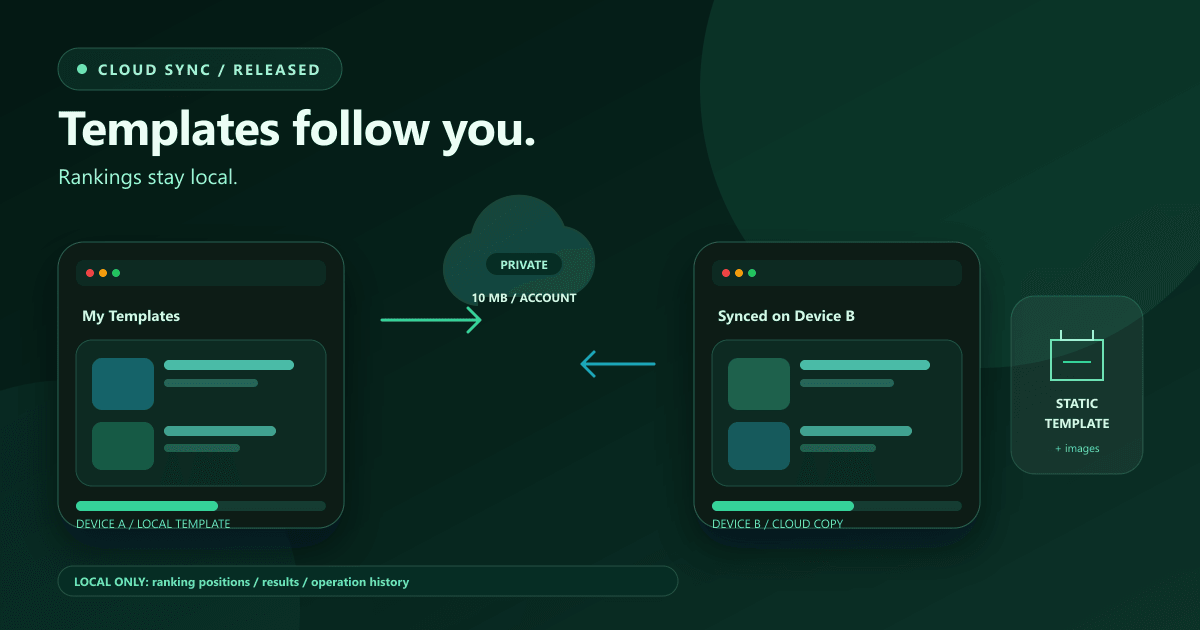
Sign in with Google to sync saved static templates across devices in a private 10 MB cloud quota. Ranking results and editing activity remain local.
One-line takeaway
Cloud sync gives saved templates a private copy across devices without uploading ranking results or operation history.
The friction
Templates saved only in one browser are difficult to continue on another phone, tablet, or computer.
The new flow
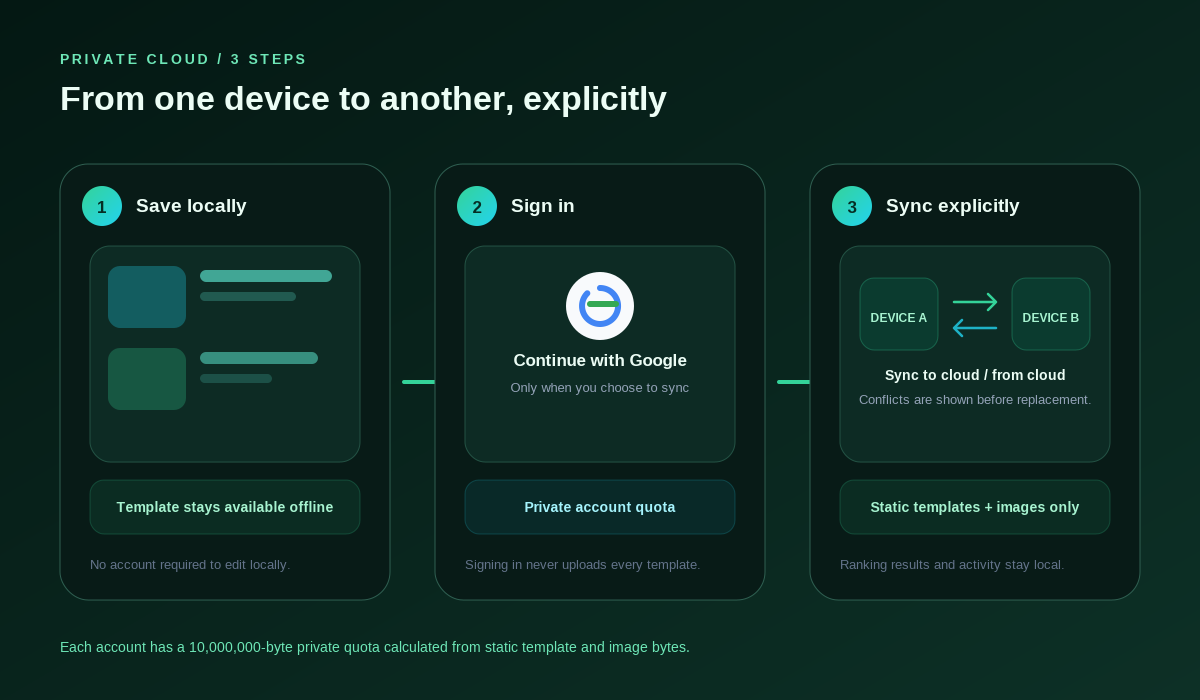
Saved boards keep a local copy and can optionally receive a private cloud copy. Changes remain explicit: signing in does not automatically upload every local template.
How it works
- 1 Save a templateCreate or open a board, then save it to My Templates on the current device.
- 2 Sign in from My TemplatesUse Google sign-in to connect the private cloud quota for that account.
- 3 Sync and continueChoose Sync to cloud, then use Sync from cloud on another device. Conflicts are shown before a version is replaced.
Limits and availability
- Each account has a private quota of 10,000,000 bytes, calculated from saved static template and image bytes.
- Cloud copies store static templates, options, and images; ranking positions, results, and operation history stay local.
- Administrators can review user-uploaded cloud template content for operations and moderation.
Supported platforms: Modern web browser with a Google account
Need the strategy, not the changelog?
The blog covers ranking methods, template ideas, and deeper how-to guides. Product updates stay focused on version facts, feature behavior, and availability.